🎛️ DJ Mixing App
A modular DJ mixing tool built in C++ using JUCE, designed for an Object-Oriented Programming module and shaped by real DJ workflow experience.
🧠 Concept
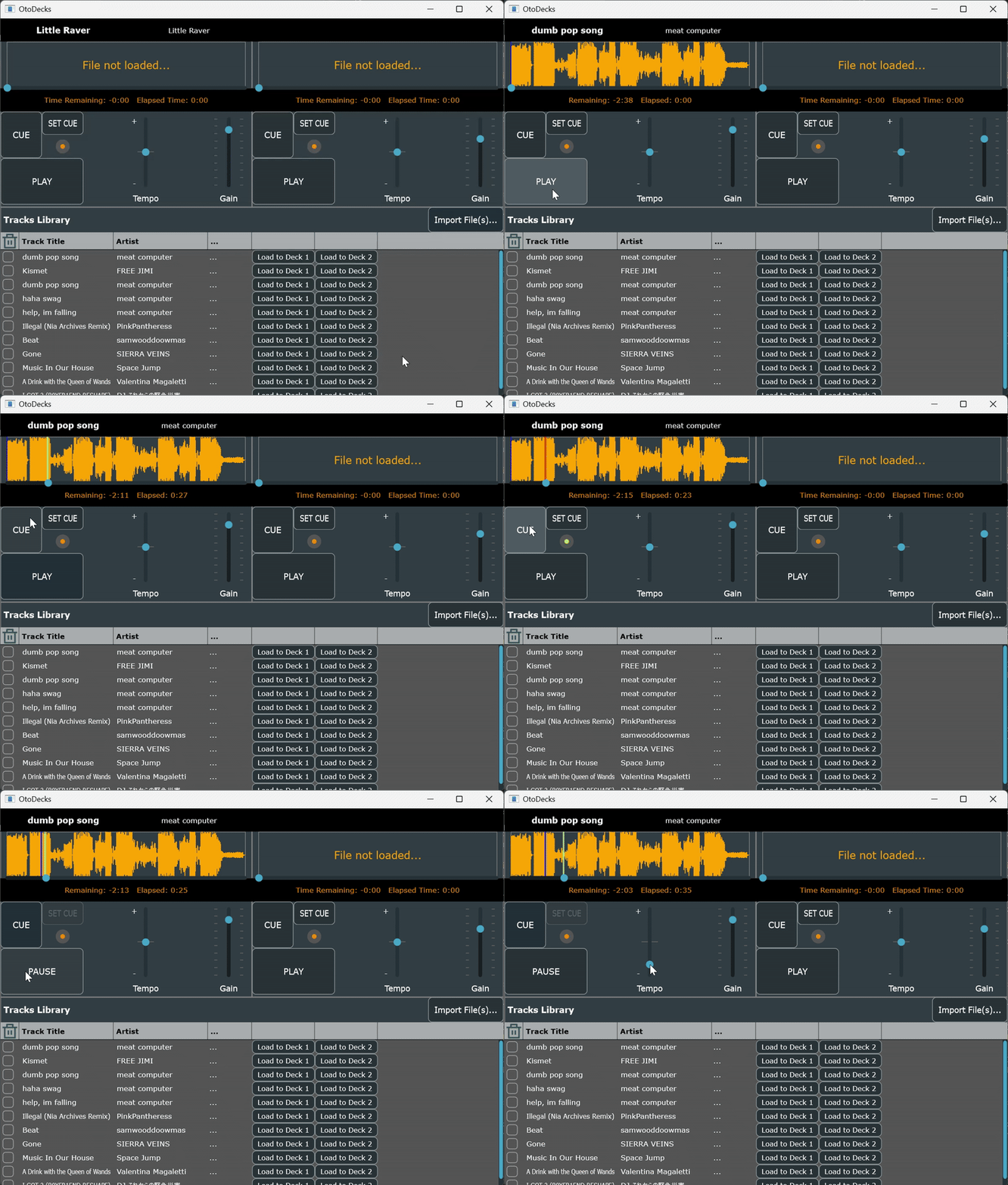
This project explores how to translate hardware-based DJ workflows into a mouse-driven software interface. Instead of recreating a full professional DJ suite the focus was on clean architecture, intuitive interaction, and faithful modelling of DJ behaviours such as cueing, loading tracks to specific decks, tempo control, and waveform navigation.
The result is a lightweight but expressive mixing tool with two decks, a functional library/ import system, waveform visualisation, and interaction patterns inspired directly by physical DJ gear.
🧩 My Role
- Designed the class architecture (Decks, Transport, Library, Waveform, Mixer controls)
- Implemented playback controls: cue, play/ pause, seek, tempo, volume/ fade
- Built a track library with import flow and ‘load to Deck 1/ Deck 2’ interactions
- Added waveform visualisation with click-to-seek and drag-to-set-start behaviour
- Implemented a cue-button system that mirrors real DJ hardware logic
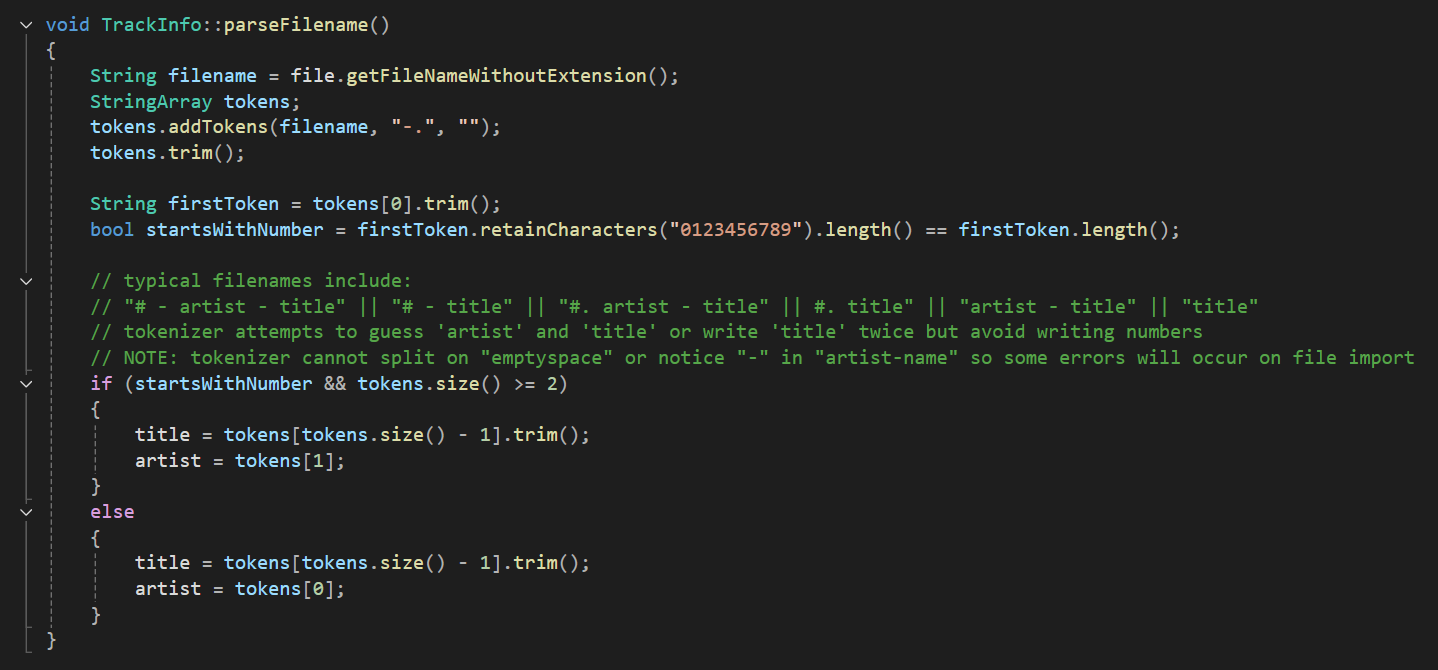
- Added simple NLP-style parsing to infer artist/ title metadata from filenames
🛠️ Tech Stack
C++ • JUCE • Visual Studio • Object-Oriented Programming • Audio playback • GUI components • Basic text parsing
🔧 Process
Goal
To build a modular, extensible DJ app that demonstrates strong OOP design and feels natural to someone used to physical DJ equipment, even when controlled with a single mouse pointer.
Constraints
- Mouse-only interaction (no multi-touch, no MIDI controllers)
- Limited audio-programming experience at the time
- Project scoped to academic module
- Need to keep architecture clean and maintainbable
Approach
- Broke app into modulear components with clear responsibilities
- Used JUCE for audio playback and GUI layout
- Designed tempo and volume controls to behave like DJ faders
- Implemented a library import system with metadata extraction
- Added waveform visualisation with draggable playhead
- Modelled cue-button behaviour after real hardware:
- When track is stopped:
- Press-and-hold Cue plays track temporarily
- Release Cue stops playback and returns to cue point
- ‘Pressing’ Play while holding Cue continues playback from that point
- When track is playing:
- Cue behaves differently, matching hardware conventions
- Prevents accidental cueing during playback
- When track is stopped:
Key Decisions
- Prioritised interaction fidelity over adding advanced audio features
- Focused on real DJ workflows rather than generic media-player controls
- Built the import + metadata parsing as a foundation for richer library
- Kept architecture modular to support future expansion
🎥 Media
⭐ Reflections
What worked
- A clear, modular class structure as evidenced by 92% grade for coursework
- Hardware-inspired interactions that feel familiar to DJs
- Functional library/ import system with metadata parsing
- Waveform visualisation that supports intuitive navigation
What I’d improve
- Further separation of UI and logic for clear extensibility
- More robust metadata parsing and library management
- Additional visual feedback (levels, cues, deck status)
- Future expansion into looping, cue points, or effects (once audio programming skills deepen)
What I learned
- How to architect a real-time audio application using OOP principles
- How JUCE structures audio + GUI components
- Challenges of translating two-handed hardware workflows into mouse-only interactions
- Importance of designing from real user practice rather than abstract UI ideas